HomeOnline tutorials17 comments 
Working with textures: part one (further information)
New feature / Mini-PSDs

One of the things our subscribers have said that they find most useful are the layered PSD files that we include with each image-based tutorial. As such we’re now releasing an additional low res’ PSD file EVERY WEEK. Each image IS between 800px and 1000px wide: selected from those that have been previously published on chromasia. They are provided ‘as is’ – just the file, with little or no explanatory text – but will help you work out how each image was constructed. Annual subscribers and lifetime members can download these from the members’ page and can request that specific images be added to the archive via the members’ forum.

For further details please take a look at the following page:

    http://www.chromasia.com/tutorials/online/mini_psds.php

An introduction to the ‘Working with textures: part one’ tutorial

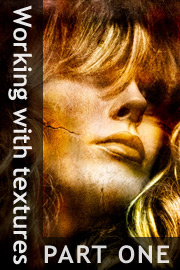
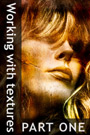
This is the first of a two-part tutorial on working with textures; i.e. combining and blending layers of texture to existing images. Unlike our previous, sole-authored tutorials, this short series is being prepared in conjunction with Michael Regnier, an internationally renowned artist in this field. Michael has produced work for a variety of clients, including Coca Cola, Kodak and the Federal Reserve Bank, and has been awarded numerous accolades for his work.

If you would like to see some examples of Michael’s work, you can do so here:

http://www.regnierphotography.com/

The specific topics covered include:

  • Using a variety of blend modes to merge a textured image with your photographs.
  • Choosing a texture that will match your creative intentions.
  • Applying a texture to create a number of different effects.
  • Using a texture to selectively replace a background.

This tutorial contains 7994 words, 70 illustrative images and screen grabs, and has received 17 comments.

Photoshop files included with this tutorial

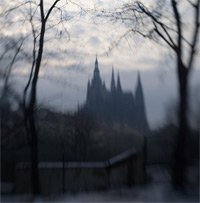
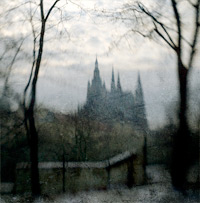
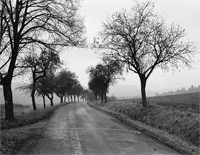
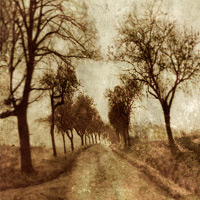
Each of our tutorials is based around a series of Photoshop files containing all the original adjustment layers that were used to create the final image. The ones that are included in this tutorial, and a brief description of how each one will be used, are listed below – the ‘before’ version on the left, the ‘after’ version on the right. Each of these files can be downloaded after you subscribe.

How to get from this … to this
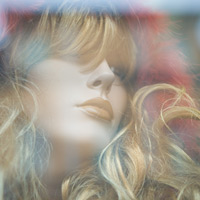
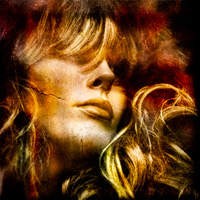
Image 1
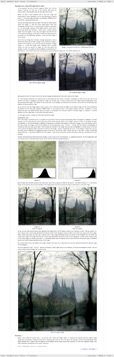
In this first example I will show you how to use the Soft Light blend mode to add a textured overlay to your image.
Image 2
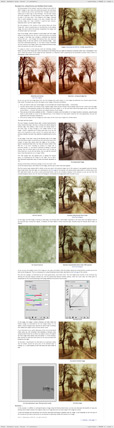
In this example we will discuss a variety of techniques that can be used to add both texture and aesthetic appeal to an image, including using the Overlay and Multiply blend modes, distorting the content of an image, and painting texture onto a new layer.
Image 3
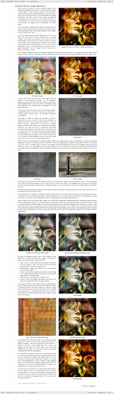
In this example I will show you how to selectively modify the content of an image using a texture: based on both the nature of the texture and the original image to which it is applied.
Image 4
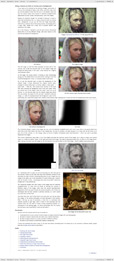
In this final example I will show you how to use a texture as both an overlay and background: an especially useful technique that can be used to isolate a foreground element from an otherwise distracting background.
What our subscribers have said about this tutorial

"Excellent! I was waiting for this and I'm not disappointed!! Fascinating examples. I would write more, but I'm off out to shoot some walls 'n' such :-)"

Jeremy

"Great tutorial, as usual. People like you, Chris Orwig, David Duchemin and Joe McNally just have this genius of explaining complex, seemingly abstract concepts simple enough for simple minds like mine to comprehend."

Tim

"Absolutely superb David and just like the others, something I've been waiting for. As always, clearly and concisely explained with excellent images as examples. Thanks for sharing your expertise with us all :-)"

Roger

"I truly enjoyed this. This one an especially because (like the HDR tutorial) this is a technique that I've never attempted, but this has opened up an entire new realm of possibility. I'm excited to practice this. Thanks for your commitment to excellence Dave. It is greatly appreciated."

Brooks

Content overview (the rollover graphics and embedded videos are not illustrated)
page 1 page 2 page 3 page 4 page 5 page 6
How to subscribe

There are three ways to subscribe to the tutorials on chromasia, either by subscribing to an individual tutorial or by taking out an annual subscription or lifetime membership. Details regarding all three options are included below:

Subscribe to THIS TUTORIAL ONLY
For £5.00 you can take out a one year subscription to this tutorial only. On receipt of your payment you will be sent a username and password that will grant you 12 months access to the tutorial. You will also receive a £5.00 discount coupon code which you can redeem against a subsequent purchase of an annual subscription or lifetime membership. £5.00
ANNUAL SUBSCRIPTION
For £25.00 a year you can take out an annual subscription. This will give you access to all our tutorials, various members’ offers and our dedicated forum. £25.00
CLICK HERE FOR MORE INFORMATION
LIFETIME MEMBERSHIP
For a single payment of £75.00 you can take out a lifetime membership. This will give you access to all our tutorials, various members’ offers and our dedicated forum. £75.00
CLICK HERE FOR MORE INFORMATION
Further information

To find out more about our other individual tutorials please click any of the following images. Alternatively, you can visit our main tutorials page for further information on: our annual subscriptions and lifetime memberships; our forthcoming issues; and our current members’s offer. You can also read through our sample tutorial on Tonal Range and the Curves tool.

David J. Nightingale © 2003–10 • all rights reserved


HomeOnline tutorials17 comments 
Working with textures: part one (further information)