![]() |
|
One of the things our subscribers have said that they find most useful are the layered PSD files that we include with each image-based tutorial. As such we’re now releasing an additional low res’ PSD file EVERY WEEK. Each image IS between 800px and 1000px wide: selected from those that have been previously published on chromasia. They are provided ‘as is’ – just the file, with little or no explanatory text – but will help you work out how each image was constructed. Annual subscribers and lifetime members can download these from the members’ page and can request that specific images be added to the archive via the members’ forum. For further details please take a look at the following page: |
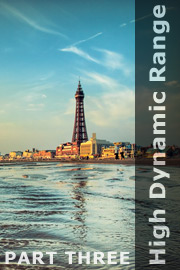
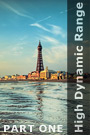
In this, the third part of our series on High Dynamic Range images, we will discuss how to use High Dynamic Range software to generate a pseudo-HDR image from a single original. We will then investigate how to tone map this image using Photomatix Pro.
In addition we will also discuss how to use Camera RAW (or other RAW processing software) to optimise your initial image prior to generating the pseudo-HDR image, how to minimise and remove noise from a tone mapped image, and how and when to blend an HDR image with a normal exposure.
This tutorial contains 8433 words, 60 illustrative images and screen grabs, and has received 6 comments.
Please note that this tutorial requires Photoshop and Photomatix Pro.
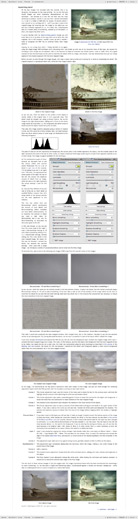
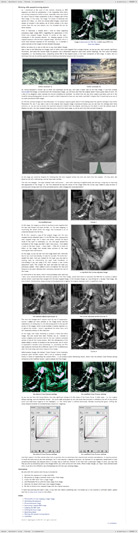
Each of our tutorials is based around a series of layered Photoshop files, at the resolution originally posted on chromasia, which you can download after you subscribe to the tutorial. The images used for this tutorial, and a brief description of each, are included below.
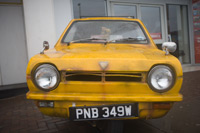
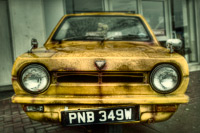
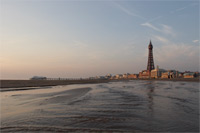
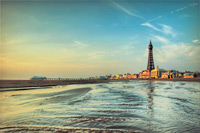
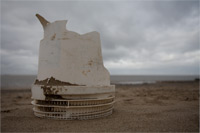
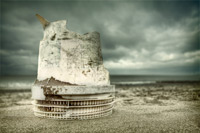
| How to get from this … | to this | ||
![]() |
![]() |
Image 1 In this first example I will show you how to produce the ‘HDR look’ from a singel image: by creating a psuedo-HDR image which you can subsequently tone map within Photomatix Pro. |
|
![]() |
![]() |
Image 2 In this example I will show you how to unify the tonal range of an image, e.g. how to adjust the tonal range of a darker foreground to match a brighter sky. |
|
![]() |
![]() |
Image 3 In this example I will show you how to a) maximise the detail within a tone mapped image, and b) merge the sky from the original exposure. |
|
![]() |
![]() |
Image 4 In this final example we will continue our discussion of merging aspects of an original exposure with your tone mapped image in the context for working with shots of people and moving objects. |
|
"Another extremely detailed tutorial & commentary from you David. The examples you've used here are diverse and your explanations as detailed as always. It's clearly a subject you're learning along with the rest of us, but your results, as always, looks great and give us plenty to aim for. Thank you." Justin Photis |
"Brilliant, I actually found out FINALLY how you do it. You gave away two secrets cunningly in this latest tutorial to the secret behind your shots. I don't know if I want to repeat them here in the comments, but thankyou thankyou. I've known you for six years or more through Chromasia, and I've wanted to find out the secret to your style. I think having used this fantastic technical tutorial you have finally given me the answer, just two clues, and a couple of lines, and WHAM, it worked for me. I'm just gonna say Luminosity, Red Channel, and a Blue Curve ... great fun. Brilliantly clear and conscise. Whens the next installment?!!!!" Craig Judd |
|
|
"Love your tutorials. I like HDR in particular, although I don't use it much. It'd be nice to have a workflow for HDR images using FDRTools. The Interface is a lot different and it is a little confusing to me. But I can see FDRTools offers different ways to control the HDR creation process. This would be a great complement to this tutorial." rgroenke |
|
|
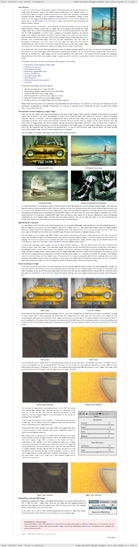
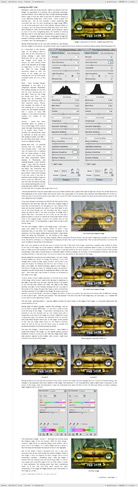
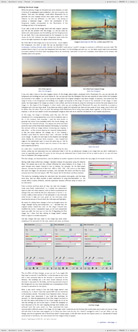
| page 1 | page 2 | page 3 | page 4 | page 5 | ||||
![]() |
![]() |
![]() |
![]() |
![]() |
||||
This tutorial is currently only available to our annual subscribers and lifetime members.
| ANNUAL SUBSCRIPTION | ||
| For £25.00 a year you can take out an annual subscription. This will give you access to all our tutorials, various members’ offers and our dedicated forum. | £25.00 | |
| CLICK HERE FOR MORE INFORMATION | ||
| LIFETIME MEMBERSHIP | ||
| For a single payment of £75.00 you can take out a lifetime membership. This will give you access to all our tutorials, various members’ offers and our dedicated forum. | £75.00 | |
| CLICK HERE FOR MORE INFORMATION | ||
To find out more about our other individual tutorials please click any of the following images. Alternatively, you can visit our main tutorials page for further information on: our annual subscriptions and lifetime memberships; next month’s issue; and our current members’s offer. You can also read through our sample tutorial on Tonal Range and the Curves tool.
![]() |
![]() |
![]() |
![]() |
![]() |
![]() |
||||||
![]() |
![]() |
![]() |
![]() |
![]() |
![]() |
||||||
![]() |
![]() |
![]() |
![]() |
![]() |
![]() |
Photomatix Pro: discount code
If you don’t have a copy of Photomatix Pro, but do have an annual subscription or lifetime membership to our tutorials, you will find a 15% discount coupon code on the members’ page. This can be redeemed at hdrsoft.com, the website of the company who produce Photomatix Pro.
David J. Nightingale © 2003–10 • all rights reserved